When a Claude Code session hits something it can't decide, it files a request through apo's MCP server and keeps working on what it can. You answer every waiting request, from every project, in one dashboard. apo writes the answer into that repo, where the next session picks it up.
Needs Claude Code and Python 3.10 or later, on Linux, macOS or WSL2.
One request, start to finish#0012
trailmate-app
Lowest iOS version to support?
Open
A session asks. It gives two options and suggests iOS 16, 85% sure. Then it carries on with the build setup.
Answered
You answer. One key accepts the suggestion from your queue, and apo writes it into the repo.
.claude/decisions/0012-lowest-ios-version-to-support.md
Resolved
The next session acts on it. It reads the file, does the work and closes the request.
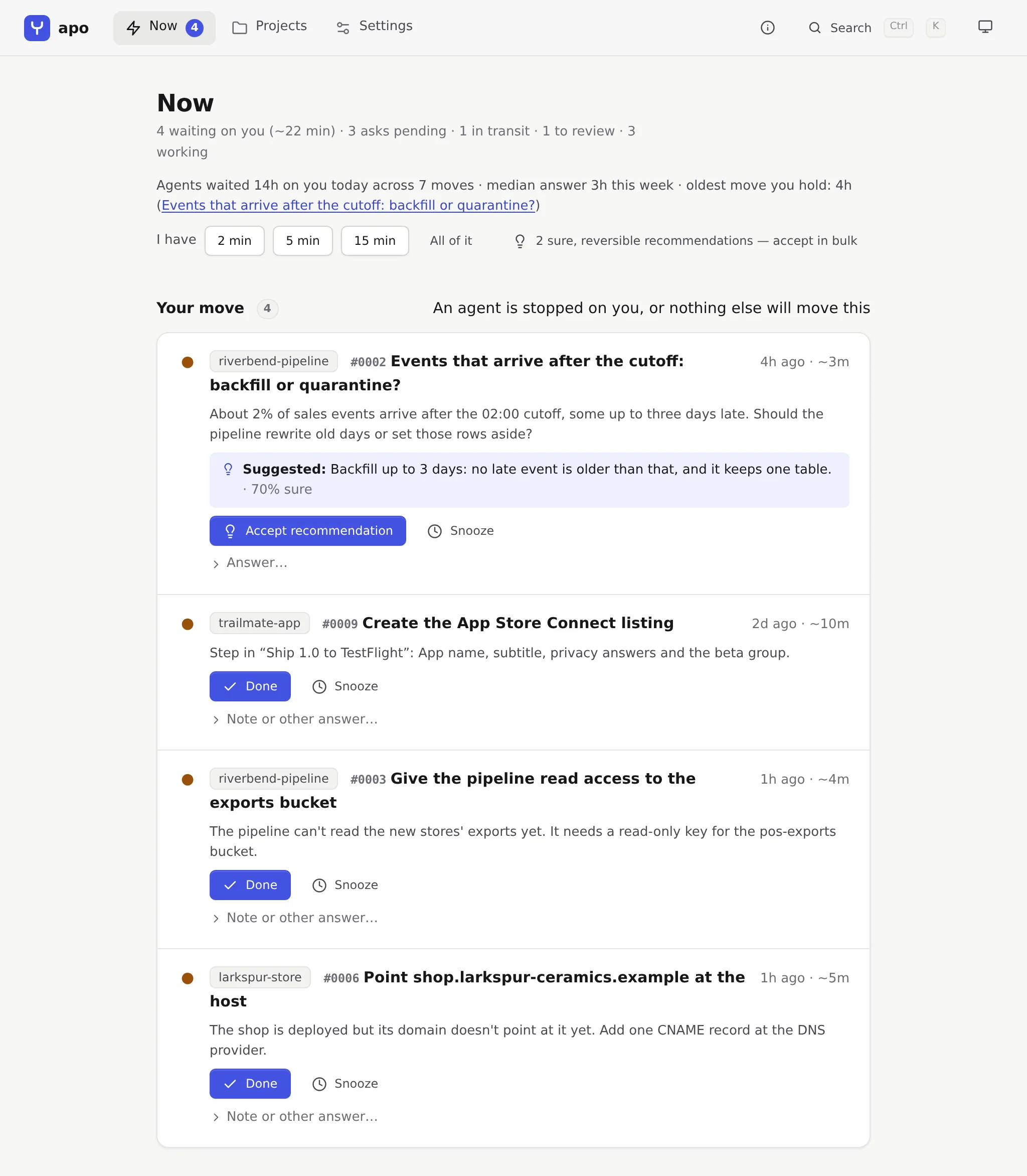
Now lists everything waiting on you across every project, the most stuck agent first. Select the screenshot to see the whole page.
How it works
Agents ask. You answer from one queue. The repo keeps the answer.
1
An agent files a request and keeps going
apo gives every Claude Code session an MCP server to ask through. A decision carries a two-sentence summary, the options with what the agent will do for each and whether it can be undone, a recommendation with how sure the agent is, and what's blocked versus safe to continue. Then the agent gets on with the safe part.
Some things need your hands: a DNS record, a merge, an API key. For those the agent files an action with a link, the steps, values to copy, and a check apo runs when you press Done.
What a session in trailmate-app sends (shortened)
create_decision_request(
  project="trailmate-app",
  title="Offline maps: per region, or a base map?",
  options=[
    {"label": "Download per region",
     "consequence": "Small install; download before a hike.",
     "reversible": True},
    {"label": "Bundle a base map",
     "consequence": "Install grows by about 180 MB.",
     "reversible": True},
  ],
  recommended_option=0, confidence=88,
  blocked_work=["Storage limit and cleanup"],
  safe_work=["Tile download queue", "Offline indicator"],
  resume_plan={...},
)
2
You answer from one queue
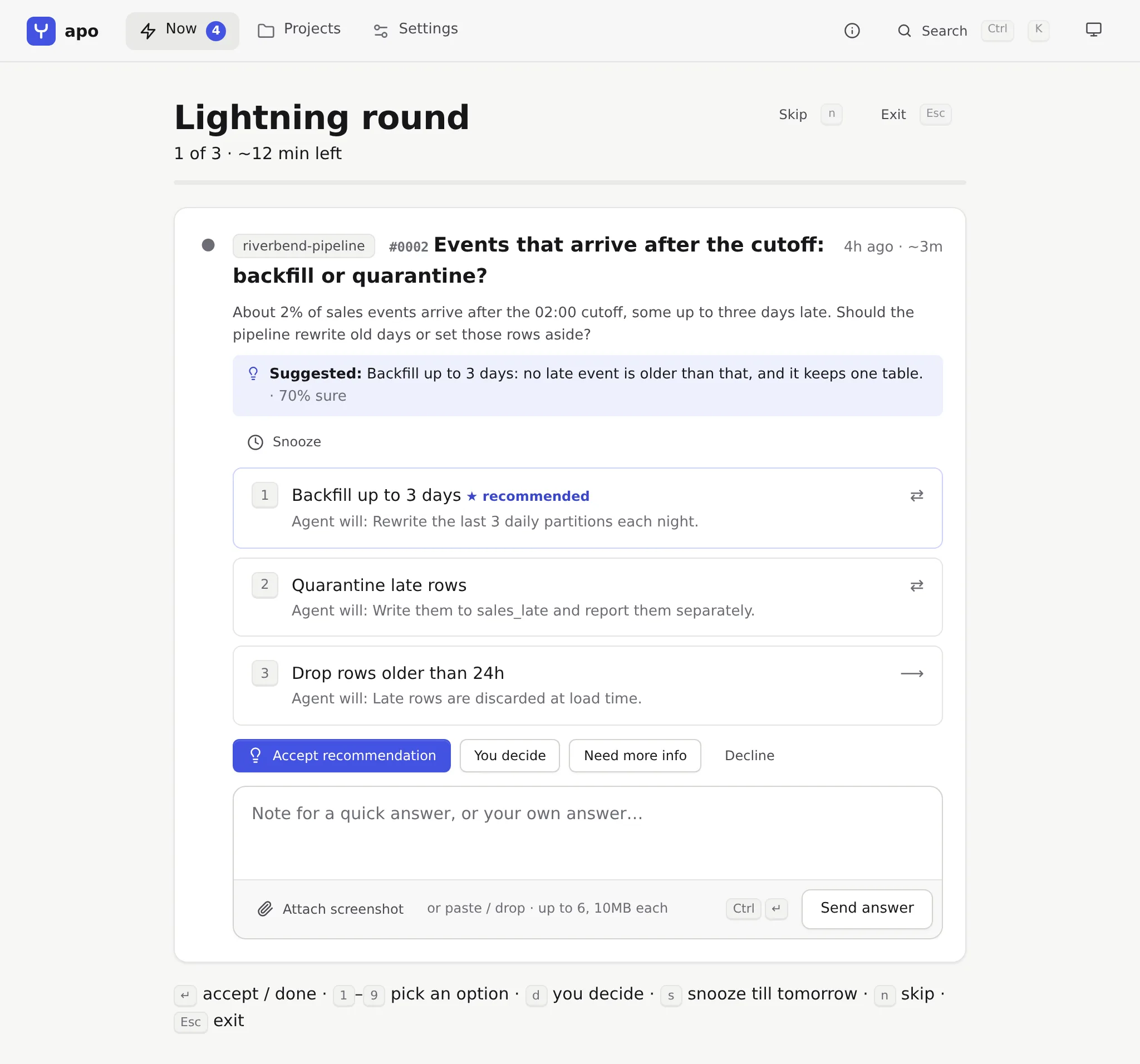
The dashboard's Now page lists what's waiting on you across every project, ranked by how blocked each agent is and how long it has waited. Most answers take one key. With a few minutes free, a lightning round fits your moves into 2, 5 or 15 minutes, one card at a time.
You can also write your own answer, attach a screenshot, or say you need more information first.
yAccept the agent's suggestion
1to9Pick an option
eMark an action done
sSnooze it
tStart a 5-minute round
3
The answer is written into the repo
apo keeps .claude/decisions/ up to date in each project: an INDEX.md, plus one markdown file per request with the question, your answer and the agent's handoff notes. A file is greppable, survives a clone, and sits next to the work it led to.
Secrets you type into an action go to an encrypted store on your machine and never reach these files.
# 0012 — Lowest iOS version to support?

- **Status:** ANSWERED
- **Kind:** Decision
- **Project:** trailmate-app

## Question

What's the minimum iOS version for 1.0?

## Answer

Accepted your recommendation: iOS 16: wider reach for a beta, and the workaround is small.

## Agent recommendation (confidence 85%)

iOS 16: wider reach for a beta, and the workaround is small.
4
The next session picks it up
If the session that asked is still open, it gets the answer with your next prompt there. A new session in that repo is told at start that answers are waiting, and /decisions works through them. If nothing picks an answer up within an hour, it comes back to your queue with a button that starts a background session to apply it.
Each answer is tracked from pending to delivered to applied, so you can see which ones reached an agent.
A new session in ~/projects/trailmate-app, at start
1 answered decision in this repo is waiting to be worked:
  #0012 Lowest iOS version to support? (ANSWERED)

> /decisions
The dashboard
One place for every project's agents
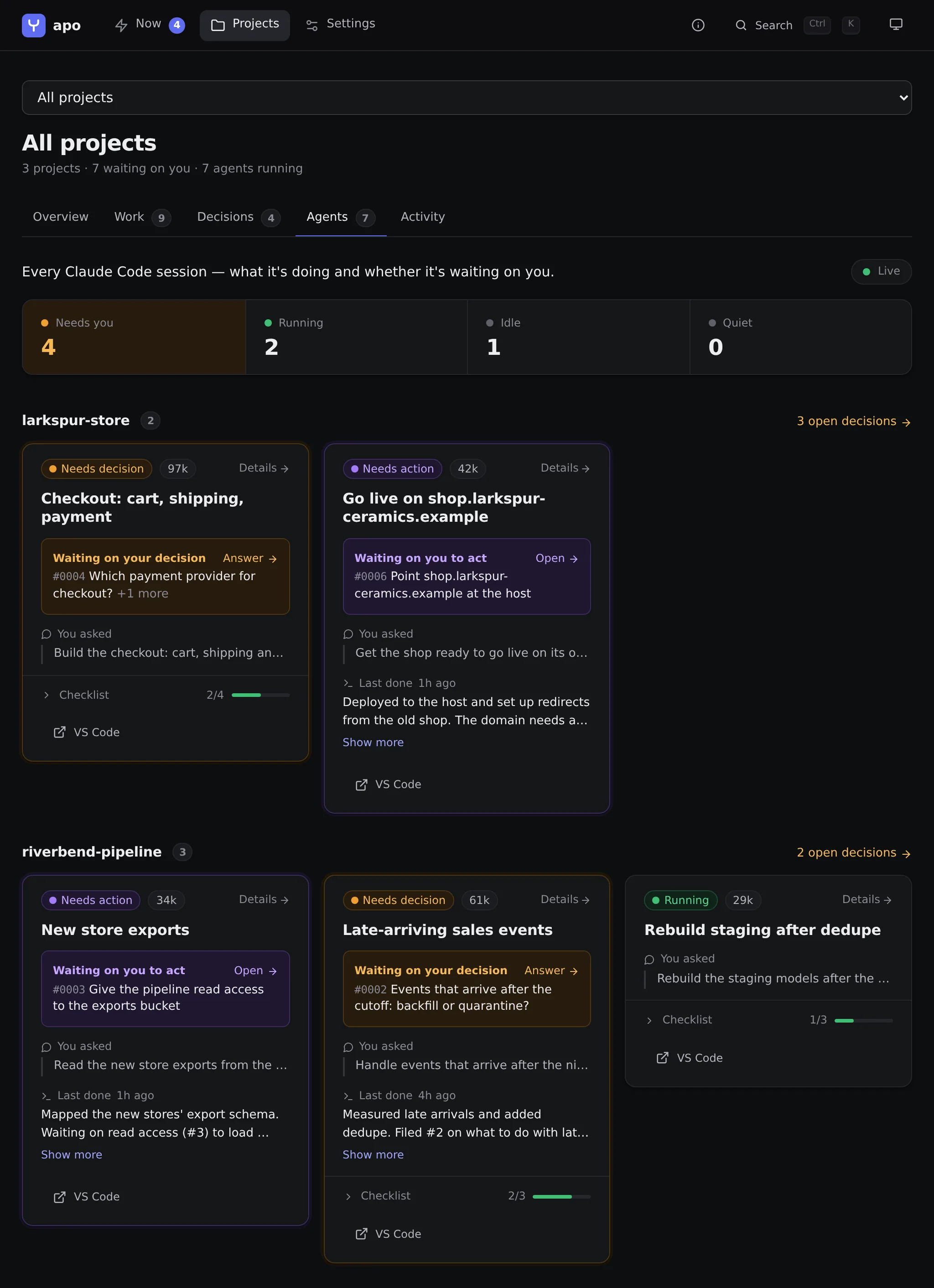
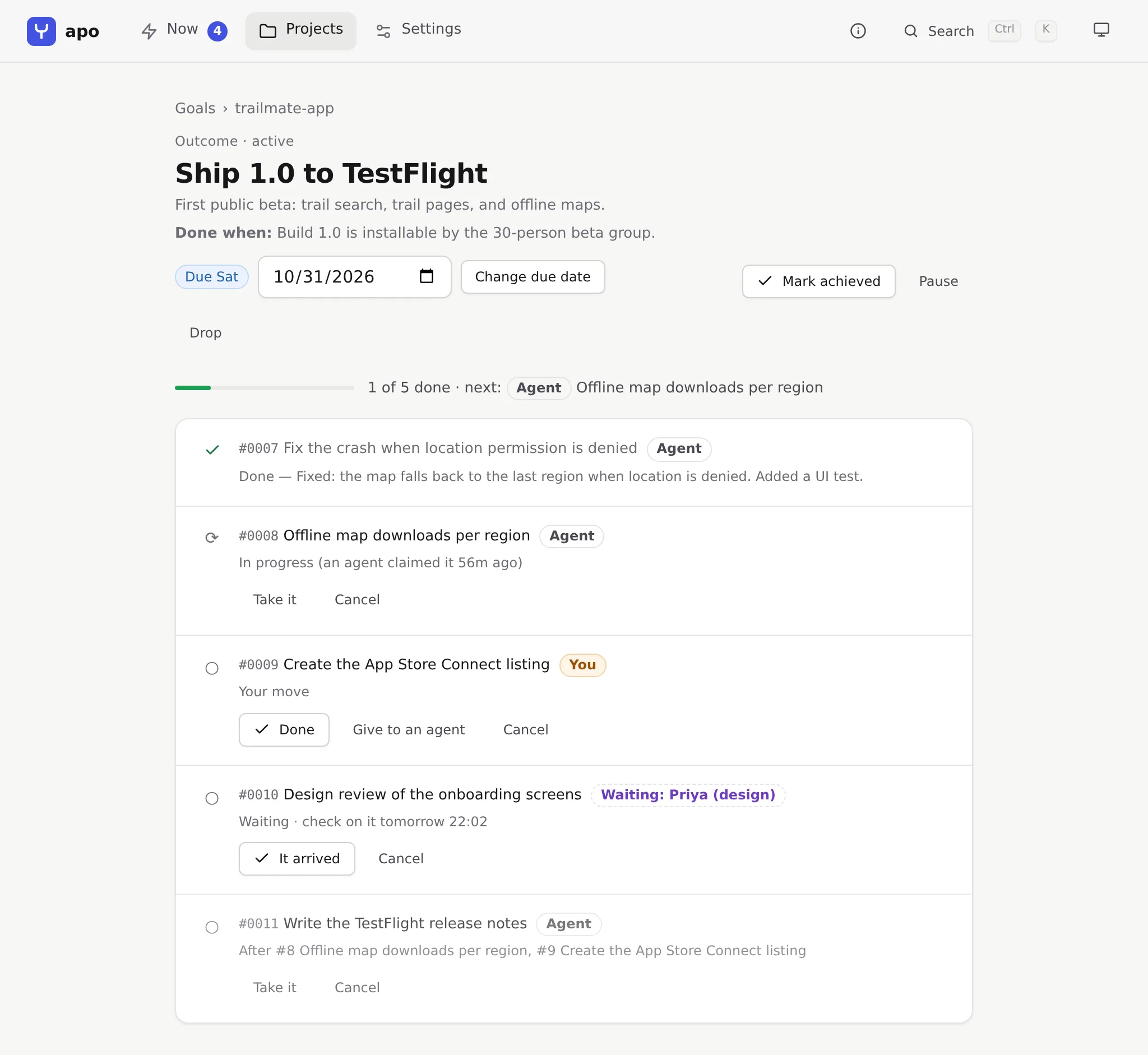
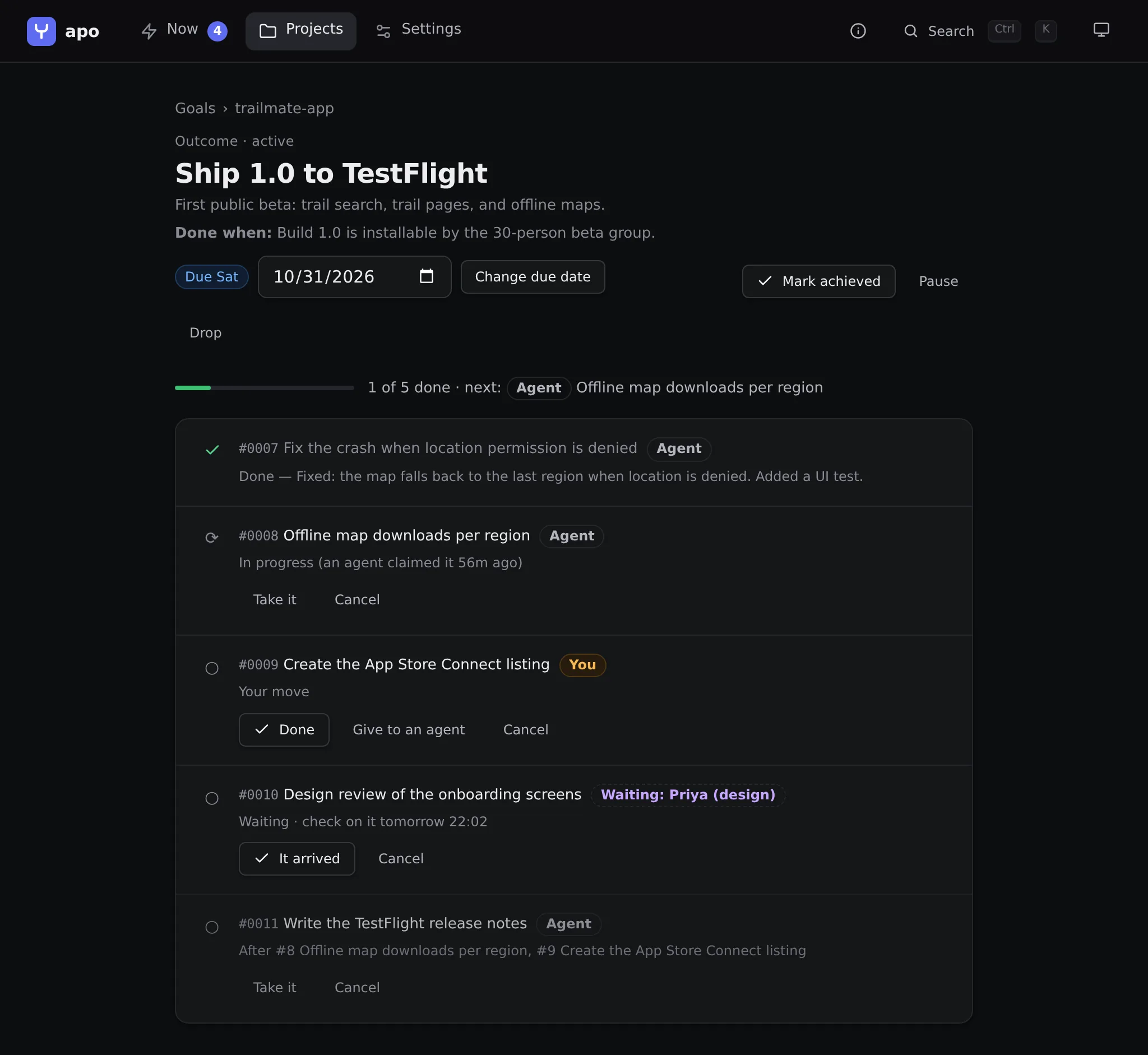
The three projects in these screenshots are made up: a ceramics shop, a sales data pipeline and a hiking app. Select a screenshot to open it full size.
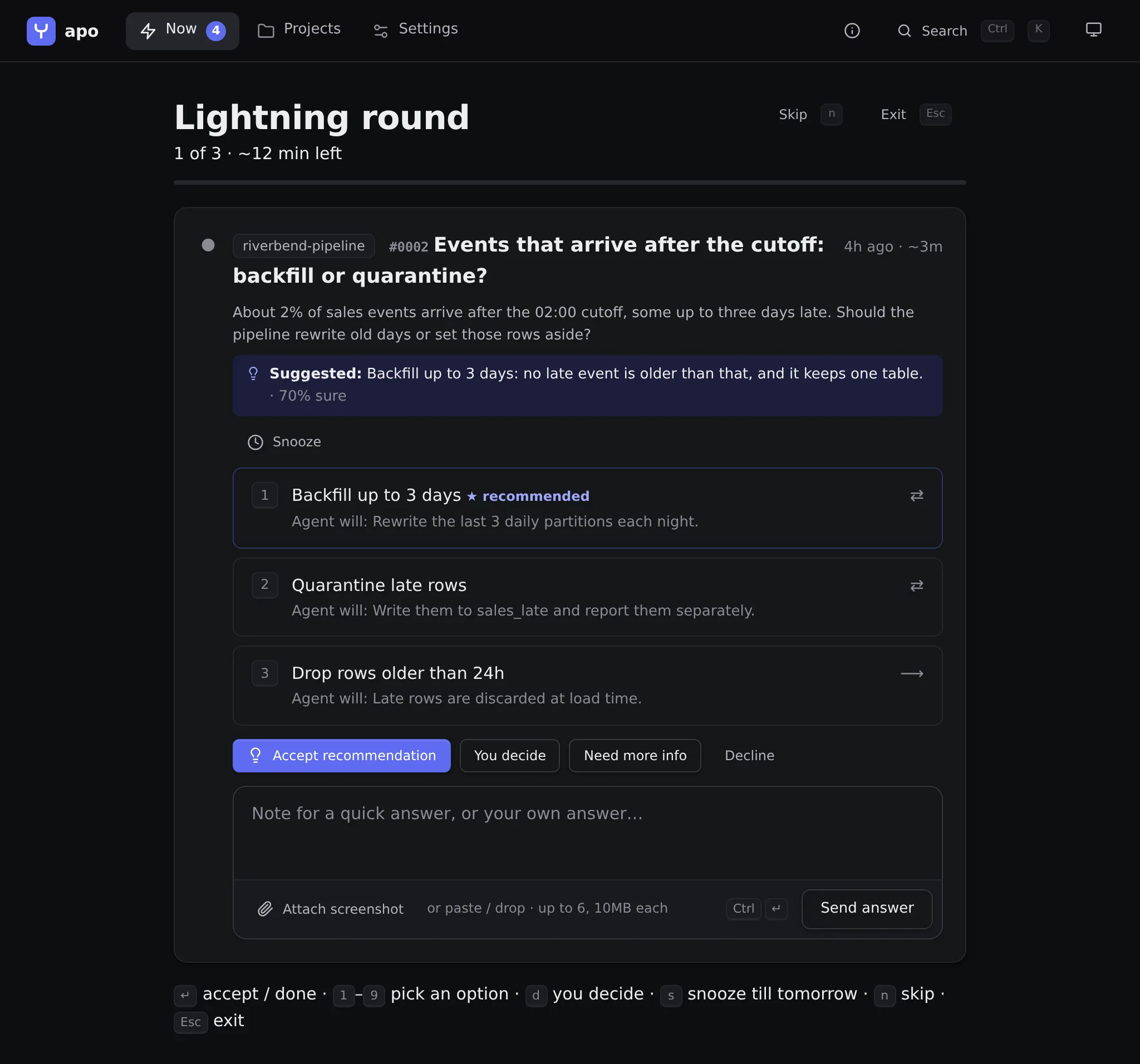
Lightning round
One card at a time. Each option says what the agent will do and whether it can be undone.
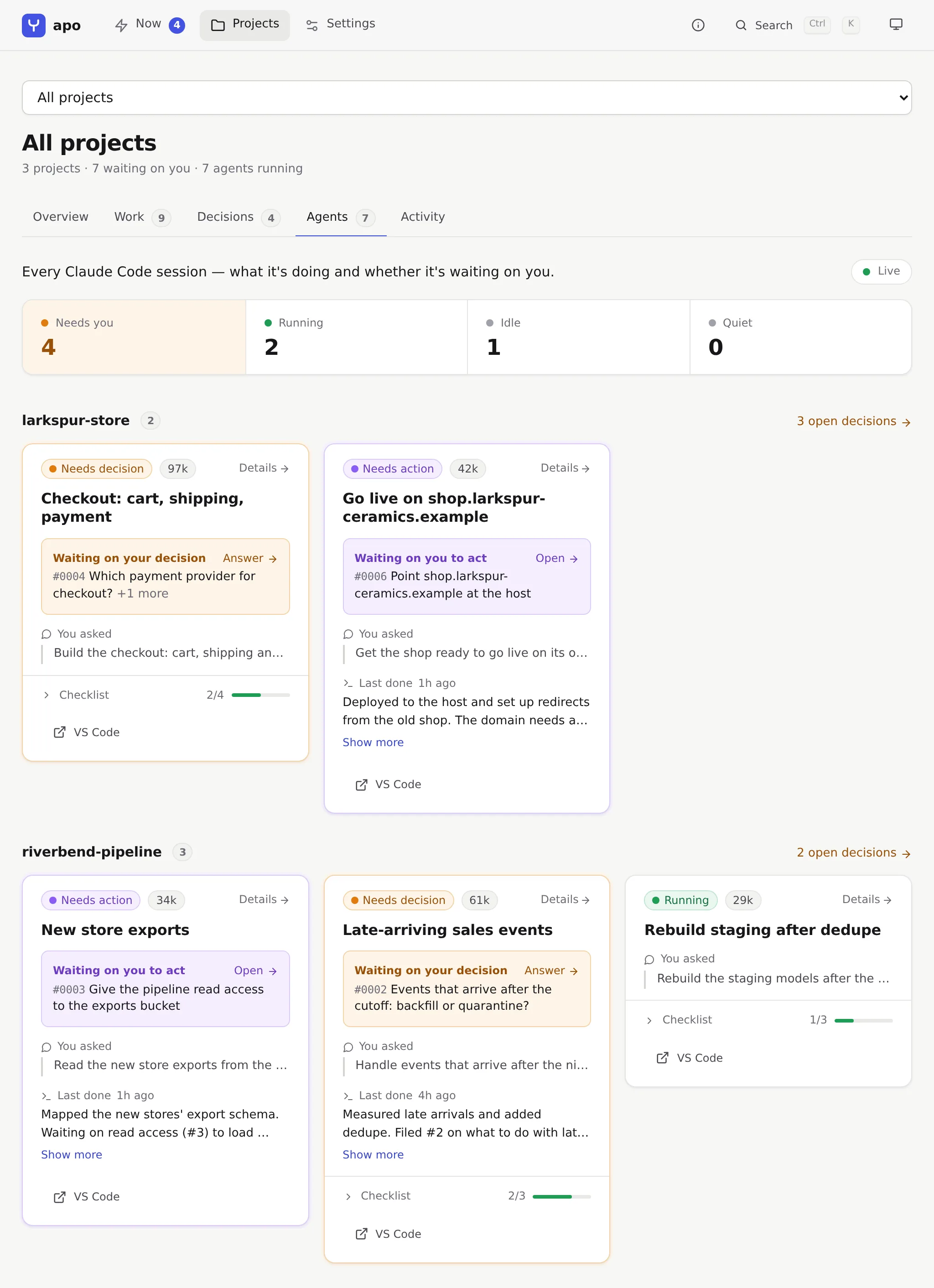
Agents
Every Claude Code session, grouped by project, with what it's waiting on and its own checklist.
A goal
Steps belong to an agent, to you, or to someone outside. A step waits until the ones it depends on are done.
What else it does
Fewer interruptions, and a record of what was decided
Accept in bulk
Accept every suggestion an agent is at least 85% sure of and has marked easy to undo, after you've looked over the list.
Standing rules
Write down the answers you'd give every time. Agents read them from .claude/decisions/POLICY.md and follow them instead of asking.
Goals
A result you want, with a checklist. Each step belongs to you, an agent or someone outside. Agent steps reach the repo as tasks the next session picks up.
Every session, live
Status comes from Claude Code's own hooks and its list of running sessions, so watching your sessions spends no tokens.
Snooze
Put an item away for 2 hours, until tomorrow, or until the agent that asked is actually stuck on it.
Notifications
Off until you turn them on. Then an item interrupts you only after it has waited a while, at most 6 times a day, inside the hours you set.
Search and weekly reports
Search every question, answer, session recap and goal. A weekly report per project shows what got done and decided, and how long agents waited on you.
Linear, if you use it
Mirror requests as Linear issues and answer with a comment, or plan a goal as an issue with sub-issues. It's off unless you connect it.
Local
No account and no telemetry. The dashboard listens on 127.0.0.1 and keeps its data in a SQLite file on your machine.
Who it's for
One person running many Claude Code sessions
You have sessions going in several projects and don't watch any one terminal, so a question from one of them waits until you happen to look. With apo it goes into a queue, and the agent carries on with the parts that don't depend on your answer. Sessions show up however you started them: in a terminal, in VS Code or in the background.
It fits if
you work across more than one repo at a time
you'd rather clear ten questions in five minutes than answer one every few minutes
you want decisions written down in the repo, beside the work they led to
Look elsewhere if you want
a shared workspace for a team. apo is for one person on one machine, with no accounts.
agents run in the cloud for you. apo watches sessions you start and hosts none.
support for agent CLIs other than Claude Code
Needs
Claude Code, and Python 3.10 or later
Runs on
Linux, macOS or WSL2. Native Windows isn't supported.
Install
Install in three commands
1
$pipx install getapo
The package is called getapo on PyPI. It installs the apo command in its own environment.
2
$apo init
Creates the local database and connects apo to Claude Code. It asks where your projects live and whether to connect Linear, which you can skip.
3
$claude
Start a new Claude Code session in one of your project folders. Sessions that were already running don't get apo's tools until you restart them.
Then open the dashboard
$apo dashboard
What apo init changes
Registers apo's MCP server with Claude Code for your user, so every session can file requests and gets a short note on when to.
Adds hook entries to ~/.claude/settings.json, after making a backup of it.